Gaming routines
Keep farming, idle progression, and routine in-game tasks running without locking your personal phone for hours.
This page gives a clearer overview of what Redfinger Cloud does, who it fits, and why people use it for long-running Android work without keeping local hardware online all day.
A quick way to understand the service before comparing plans.
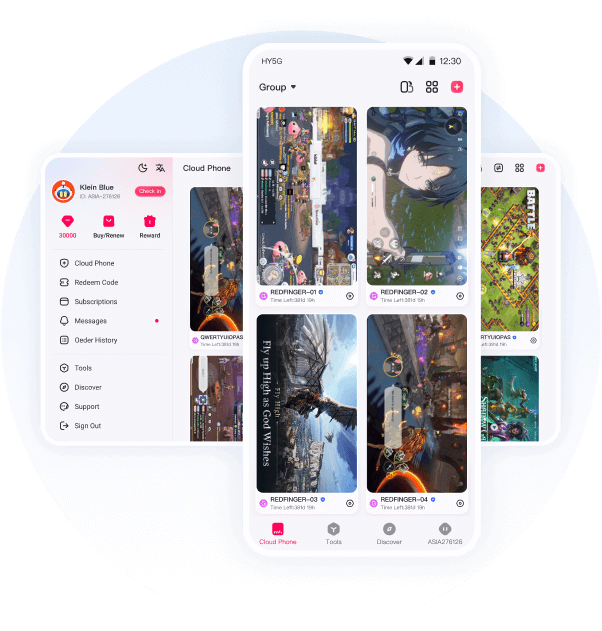
This page turns the main landing page into a clearer explanation of product fit, workflow value, and why users choose a cloud Android setup over local hardware.
Redfinger cloud is a remote Android environment for people looking for web login access, cloud phone plans, and a lighter alternative to keeping a local Android emulator open all day.
You can use it for web access, Windows, Android, or iPhone sessions, then choose a server region and Android version that match your games, apps, or account workflow.
That makes it useful for AFK gaming, multi-account routines, app checks, social media work, and repeatable mobile workflows where a remote Android device feels simpler than a traditional desktop emulator setup.
These are the common workloads where a remote Android device is easier to manage than leaving a personal phone or emulator running all day.
Keep farming, idle progression, and routine in-game tasks running without locking your personal phone for hours.
Manage several game or social accounts with less device switching and a cleaner day-to-day workflow.
Handle content posting, messaging, and account maintenance in a separate cloud Android environment.
The strongest conversion drivers are not just specs. They are convenience, continuity, and the ability to keep Android tasks online without tying up personal devices.
Run multiple cloud Android instances when you need steadier game sessions, account work, or repeatable daily app tasks.
Keep games, uploads, and routine app actions running in the cloud without draining your own phone battery.
Open the same Redfinger cloud session from web, Windows, Android, or iPhone whenever you need to check progress or make changes.
This section answers the practical questions that typically decide whether a user moves from curiosity to registration.
A local emulator uses your own PC or phone resources. Redfinger cloud runs on remote hardware, which is often easier for longer sessions, device switching, and always-online access.
The Redfinger app supports web, Windows, Android, and iPhone, so you can open the same cloud Android phone from different screens.
Start with a server region closer to your target workload or audience, then switch if your apps, games, or account tasks need a different location.
Access paths: web, Windows, Android, and iPhone.
A clearer fit for longer-running Android tasks and routine sessions.
A plan ladder that can start small and scale with heavier workloads.
These points come directly from the existing product structure, so users can understand scope before comparing plans.
A local emulator uses your own PC or phone resources. Redfinger cloud runs on remote hardware, which is often easier for longer sessions, device switching, and always-online access.
The Redfinger app supports web, Windows, Android, and iPhone, so you can open the same cloud Android phone from different screens.
Start with a server region closer to your target workload or audience, then switch if your apps, games, or account tasks need a different location.
VIP or KVIP works well for lighter use and first tests. If you expect more accounts, longer runtime, or heavier apps, SVIP or XVIP is usually the better fit.
Use the Redfinger cloud phone page linked from this site. The same entry point helps new users start a trial and returning users continue toward web access or login.
Redfinger is best understood as a cloud Android phone. It can replace some emulator workflows, but the Android session runs remotely instead of using your local PC resources.
Yes. Many users use Redfinger for mobile games, AFK routines, repeatable account tasks, and app sessions that need to stay online longer.
Use the plan table on this page to compare VIP, KVIP, SVIP, and XVIP by specs, Android versions, server regions, and the kind of workload each plan fits.
Whether you need Redfinger cloud for gaming, app access, account work, or daily operations, you can start with a free trial and move to a stronger plan when needed.
Start Free Trial