VIP
First tests, lighter app tasks, and new users who want a lower starting point
- 8 Core CPU / 4G RAM / 64G ROM / 64-bit
- Android 15, Android 12, Android 10, Android 8.1
- Hong Kong, Singapore, Thailand
Use this page to compare Redfinger Cloud plans, Android versions, and server regions before you start or upgrade your setup.
A direct pricing view for deciding which plan fits your workload.
Quick rule: VIP and KVIP are usually enough for first tests, daily app access, and lighter multi-account use. SVIP and XVIP make more sense when you run heavier apps, more accounts, or higher-intensity Android workloads.
First tests, lighter app tasks, and new users who want a lower starting point
Balanced daily use, multi-account gaming, and longer routine sessions
Heavier app stacks, longer runtimes, and busier always-on workflows
High-volume workloads, larger account setups, and resource-heavy Android use
The best plan depends on workload weight, runtime length, and how many Android sessions or accounts you need to keep online at the same time.
First tests, lighter app tasks, and new users who want a lower starting point
Heavier app stacks, longer runtimes, and busier always-on workflows
Start with a server region closer to your target workload or audience, then switch if your apps, games, or account tasks need a different location.
Instead of picking only by RAM, match the plan to your real workflow intensity and daily operating pattern.
Balanced daily use, multi-account gaming, and longer routine sessions
Heavier app stacks, longer runtimes, and busier always-on workflows
High-volume workloads, larger account setups, and resource-heavy Android use
Most pricing mistakes happen when users buy for maximum specs before validating the actual workflow. A smaller plan is often enough for first tests.
Choose a plan based on how many accounts you run, how long your apps stay online, and which Android version and server region you need. Most new users can start with VIP or KVIP, then move up when they need more RAM, storage, or longer always-on sessions.
Quick rule: VIP and KVIP are usually enough for first tests, daily app access, and lighter multi-account use. SVIP and XVIP make more sense when you run heavier apps, more accounts, or higher-intensity Android workloads.
VIP or KVIP works well for lighter use and first tests. If you expect more accounts, longer runtime, or heavier apps, SVIP or XVIP is usually the better fit.
A better pricing decision usually comes from workload clarity, not from jumping straight to the highest specs.
Choose a plan based on how many accounts you run, how long your apps stay online, and which Android version and server region you need. Most new users can start with VIP or KVIP, then move up when they need more RAM, storage, or longer always-on sessions.
Quick rule: VIP and KVIP are usually enough for first tests, daily app access, and lighter multi-account use. SVIP and XVIP make more sense when you run heavier apps, more accounts, or higher-intensity Android workloads.
Start with a server region closer to your target workload or audience, then switch if your apps, games, or account tasks need a different location.
VIP or KVIP works well for lighter use and first tests. If you expect more accounts, longer runtime, or heavier apps, SVIP or XVIP is usually the better fit.
Choose a plan based on how many accounts you run, how long your apps stay online, and which Android version and server region you need. Most new users can start with VIP or KVIP, then move up when they need more RAM, storage, or longer always-on sessions.
Quick rule: VIP and KVIP are usually enough for first tests, daily app access, and lighter multi-account use. SVIP and XVIP make more sense when you run heavier apps, more accounts, or higher-intensity Android workloads.
For first tests, cloud Android games, and light app access, start smaller before committing to heavier specs.
Move toward SVIP or XVIP when you run more accounts, resource-heavy apps, or longer always-on Android workflows.
Pick a region close to your target workload, then adjust if your apps, games, or account tasks need another location.
| Plan | Core specs | Android versions | Server regions | Best for |
|---|---|---|---|---|
| VIP | 8 Core CPU / 4G RAM / 64G ROM / 64-bit | Android 15, Android 12, Android 10, Android 8.1 | Hong Kong, Singapore, Thailand | First tests, lighter app tasks, and new users who want a lower starting point |
| KVIP | 8 Core CPU / 6G RAM / 80G ROM / 64-bit | Android 10, Android 12, Android 15 | Hong Kong, Thailand, Taiwan, United States | Balanced daily use, multi-account gaming, and longer routine sessions |
| SVIP | 8 Core CPU / 8G RAM / 128G ROM / 64-bit | Android 12, Android 15, Android 10, Android 8.1 | Singapore, Hong Kong, Thailand, Taiwan, United States | Heavier app stacks, longer runtimes, and busier always-on workflows |
| XVIP | 8 Core CPU / 16G RAM / 256G ROM / 64-bit | Android 12, Android 10 | Singapore, Hong Kong, Thailand, Taiwan, United States | High-volume workloads, larger account setups, and resource-heavy Android use |
A local emulator uses your own PC or phone resources. Redfinger cloud runs on remote hardware, which is often easier for longer sessions, device switching, and always-online access.
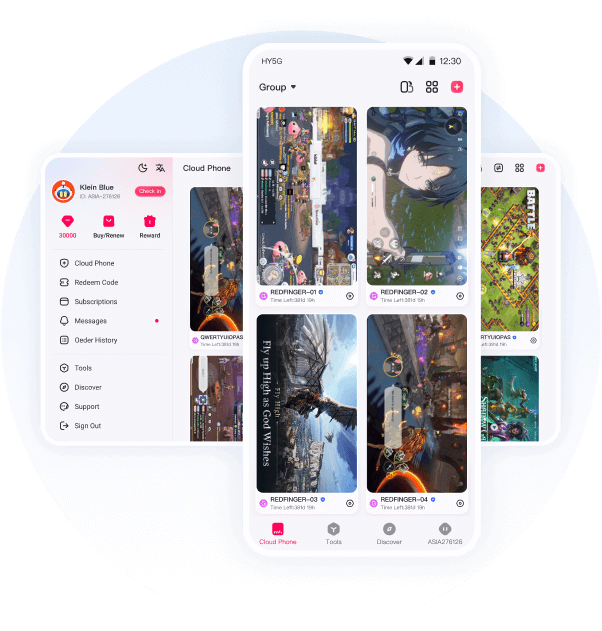
The Redfinger app supports web, Windows, Android, and iPhone, so you can open the same cloud Android phone from different screens.
Start with a server region closer to your target workload or audience, then switch if your apps, games, or account tasks need a different location.
VIP or KVIP works well for lighter use and first tests. If you expect more accounts, longer runtime, or heavier apps, SVIP or XVIP is usually the better fit.
Use the Redfinger cloud phone page linked from this site. The same entry point helps new users start a trial and returning users continue toward web access or login.
Redfinger is best understood as a cloud Android phone. It can replace some emulator workflows, but the Android session runs remotely instead of using your local PC resources.
Yes. Many users use Redfinger for mobile games, AFK routines, repeatable account tasks, and app sessions that need to stay online longer.
Use the plan table on this page to compare VIP, KVIP, SVIP, and XVIP by specs, Android versions, server regions, and the kind of workload each plan fits.
Whether you need Redfinger cloud for gaming, app access, account work, or daily operations, you can start with a free trial and move to a stronger plan when needed.
Start Free Trial